What Is Reel Director? Blender Addon for Reels, Camera Moves, Clay Renders, and Social-Ready 3D Content
Reel Director is a Blender addon by Bevel Graphics that turns existing 3D scenes into Instagram Reels, TikTok videos, YouTube Shorts, clay breakdowns, camera animations, and social-ready Blender content.
By Bevel GraphicsPublished
Reel Director is a Blender addon from Bevel Graphics built for 3D artists who want to turn existing scenes into short-form content faster. Instead of rebuilding a workflow across separate tools, it brings reel formatting, camera motion, object animation, clay render breakdowns, viewport styling, render optimization, and output control into one focused panel.
That makes it especially useful for artists who already have strong 3D scenes and want to extract more presentation value from them. Whether the scene is architectural visualization, product work, automotive content, or a stylized concept piece, the addon is designed to help convert a still scene into social-ready motion content with less setup friction.
Quick Answer: What Is Reel Director?
Reel Director is a Blender extension for making social-media-ready 3D videos from scenes you already built. It helps you set vertical, square, and landscape formats; apply camera moves; animate selected objects; create clay and wireframe breakdowns; render stylized viewport looks; optimize previews; and export cleaner content for Instagram, TikTok, YouTube Shorts, portfolio posts, and product launch pages.
- Product name: Reel Director
- Creator: Bevel Graphics
- Marketplace: Superhive, formerly Blender Market
- Blender compatibility: Blender 4.2 to 5.2 according to the current Superhive listing
- Best use case: turning finished Blender scenes into faster social-ready motion content
What Reel Director Does Inside Blender
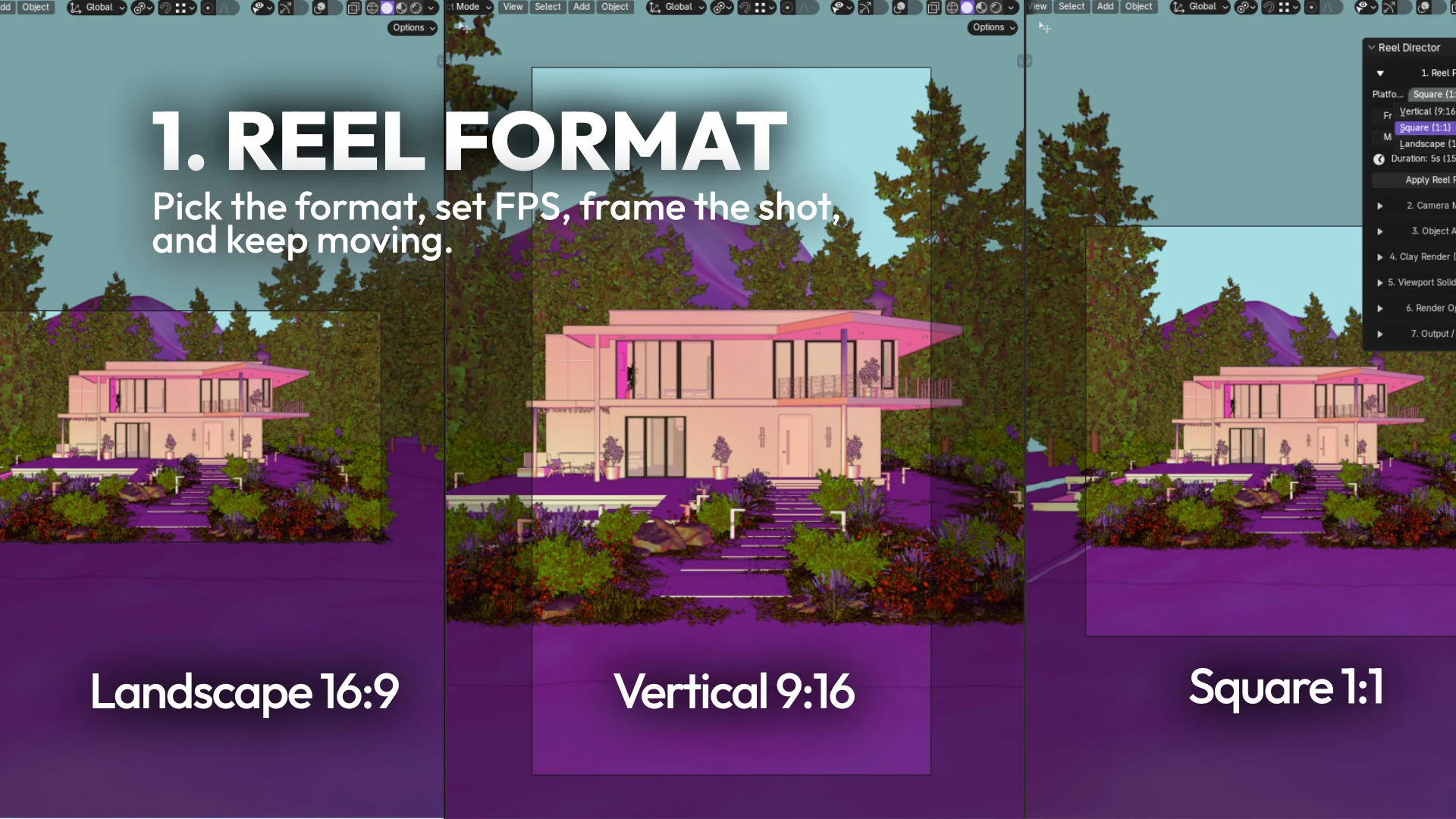
- Sets up reel-friendly formats for vertical, square, and landscape output
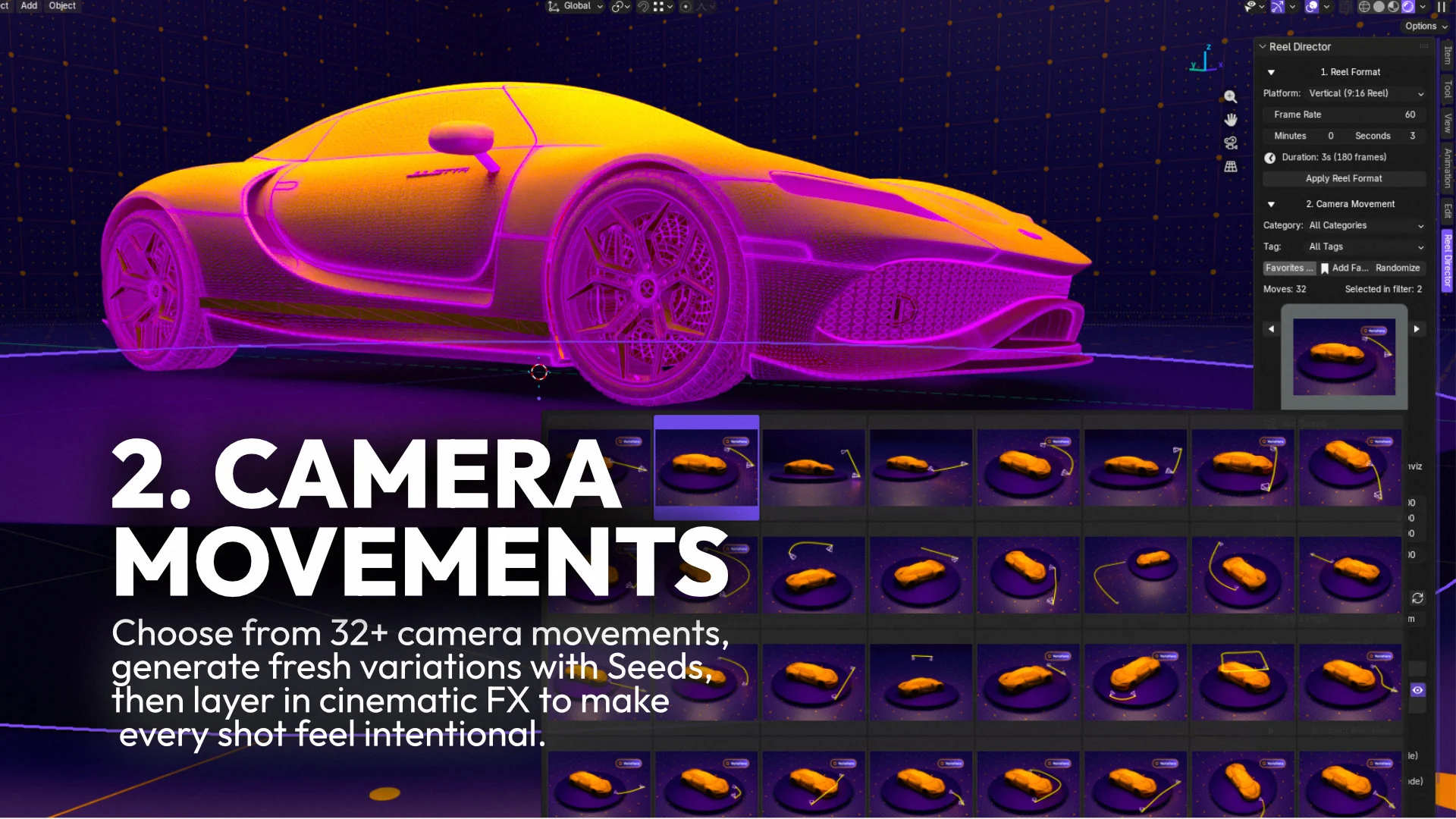
- Provides 32 curated camera movement presets for faster motion exploration
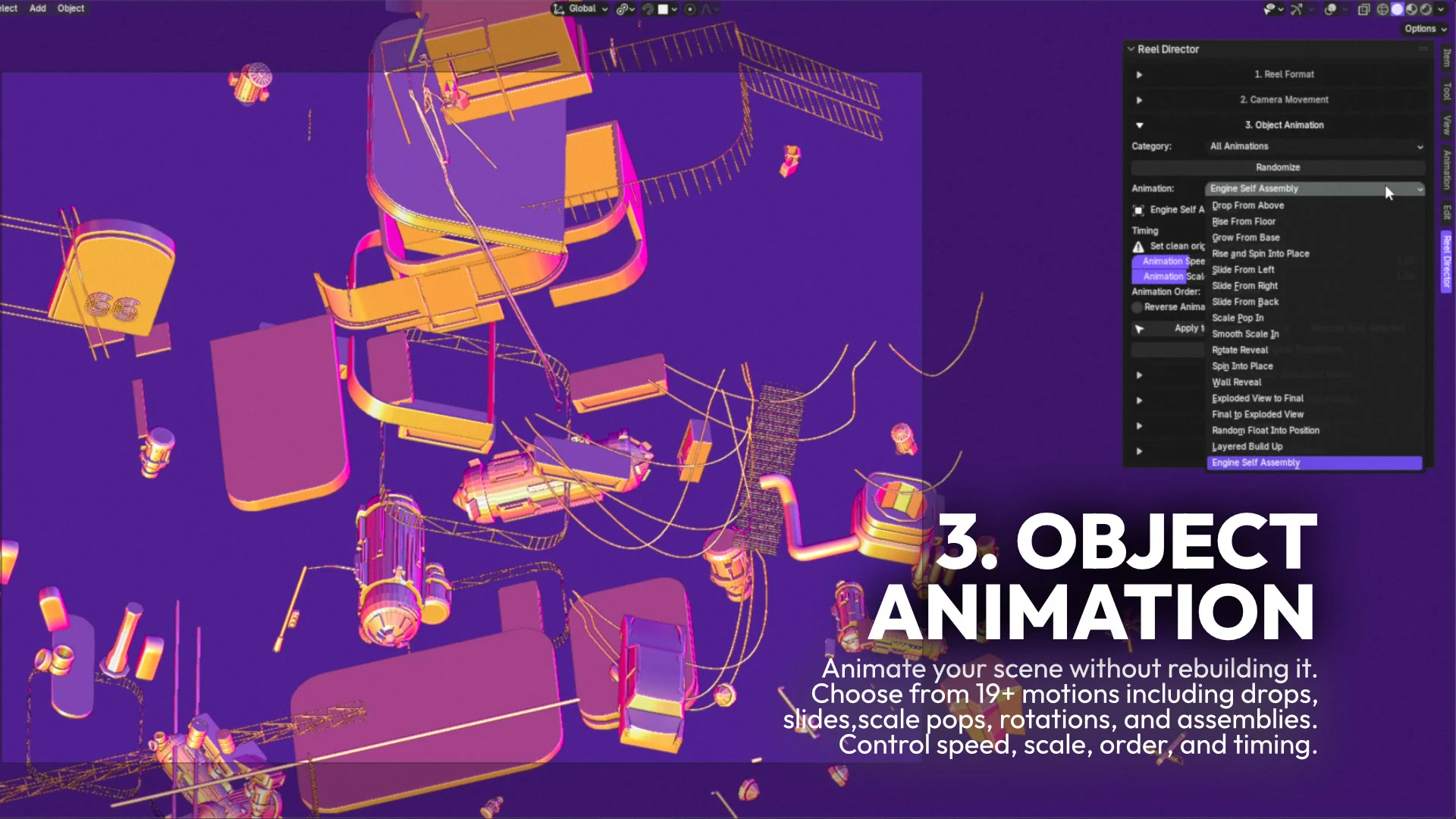
- Adds 17 object animation presets without rebuilding the scene
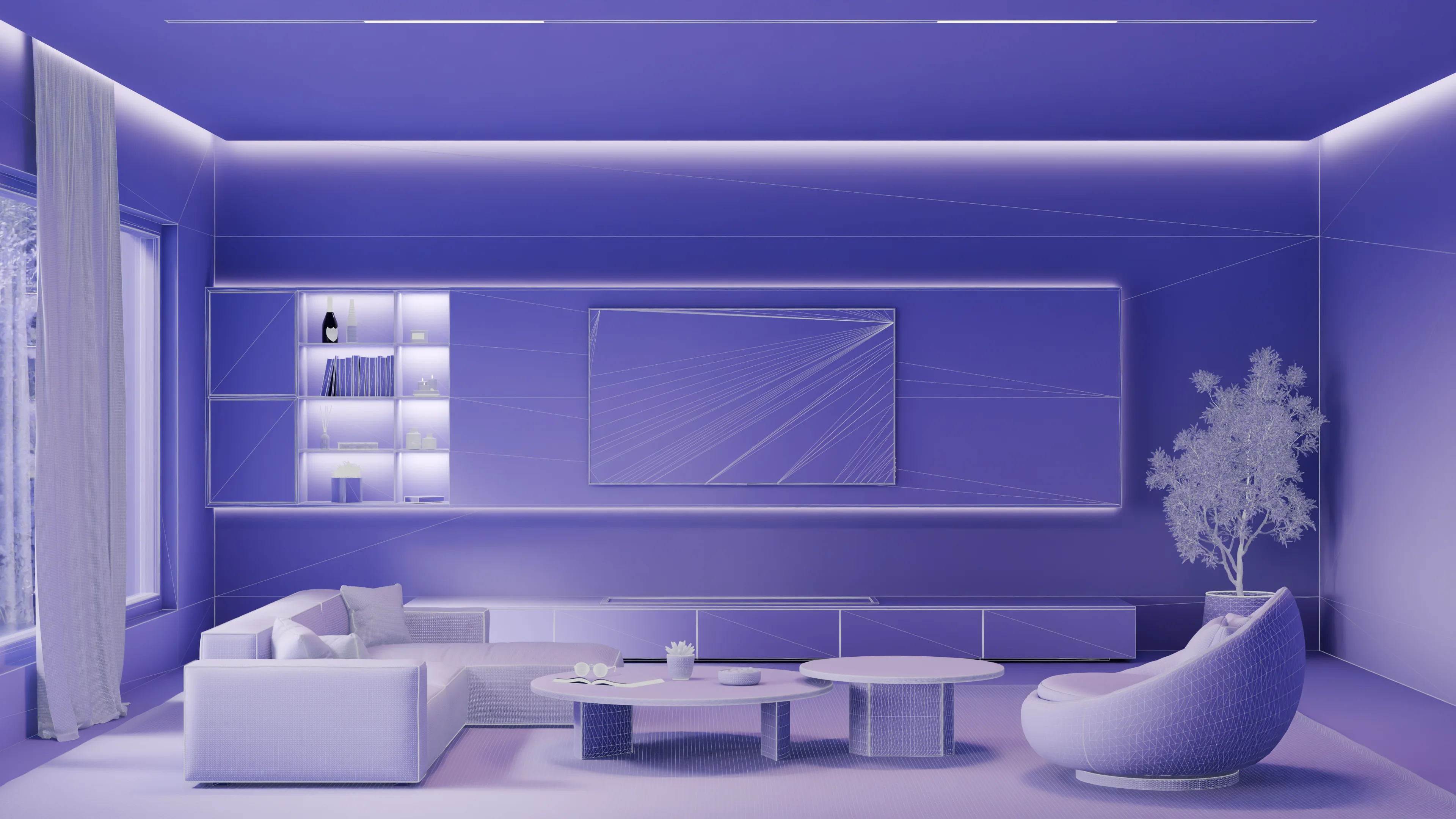
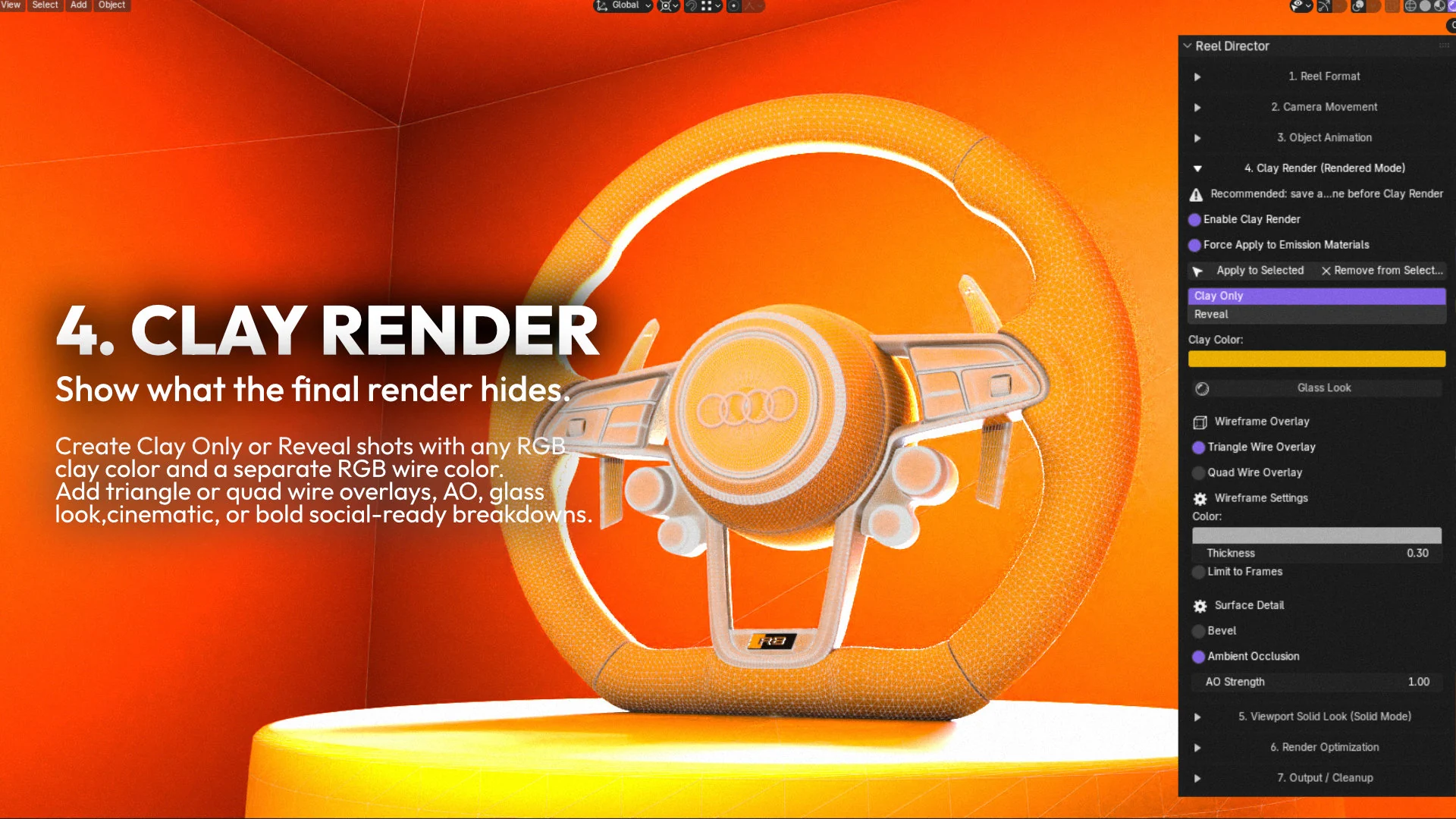
- Creates clay render and reveal breakdowns for technical or social content
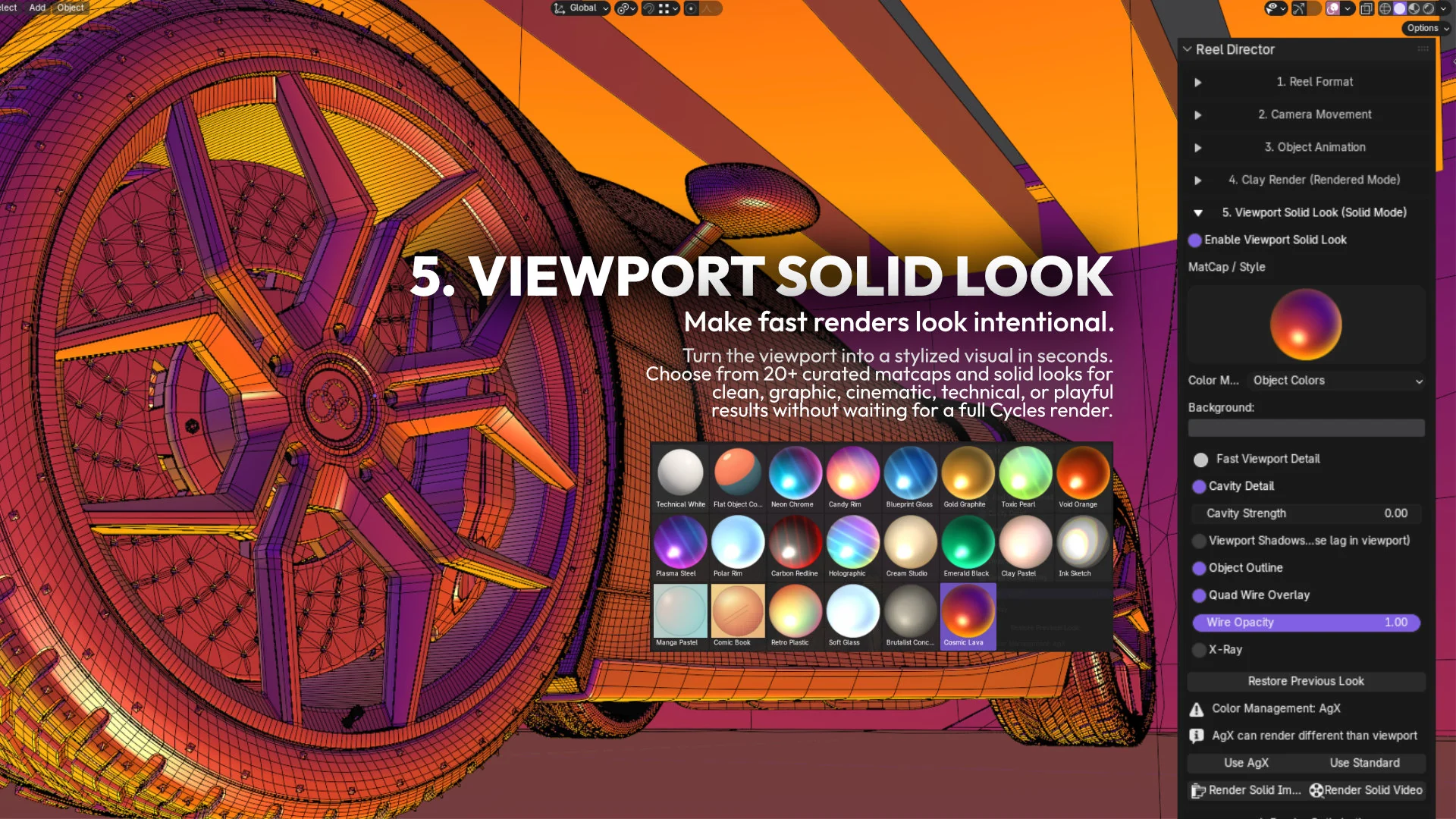
- Applies more than 20 stylized viewport solid looks for quick previews and graphic visuals
- Includes render optimization and output cleanup tools in the same workflow
Why It Matters for Blender Artists and 3D Creators
One of the strongest parts of Reel Director is that it is not limited to final polished renders. It is built around how artists actually publish content now: quick previews, behind-the-scenes visuals, motion tests, breakdowns, and social clips that keep a portfolio or product launch active between full hero renders.
For Blender users, that means a single environment can now support both presentation quality and content velocity. A finished scene can become a vertical reel, a stylized clay clip, a viewport breakdown, or a camera-led teaser without forcing a completely separate production pipeline.
Camera Moves and Object Animation Without Rebuilding the Scene
A common Blender bottleneck is that artists know the scene already looks good, but they lose time rebuilding motion just to make it publishable as video. Reel Director reduces that friction by giving access to 32 curated camera movement presets, seed-based variations where supported, camera FX such as depth of field, rack focus and handheld movement, plus object animation tools that work on top of existing work.
This matters because fast iteration is often the difference between posting one polished still and publishing a full sequence of useful content. Instead of spending that extra time rigging a small teaser manually, artists can test motion direction quickly and keep the scene productive for more than one deliverable.
Clay Breakdowns and Viewport Looks Add Real Content Value
Reel Director also stands out because it supports content formats that audiences respond to well: clay render breakdowns, clay-to-final reveal ideas, wire overlays, and stylized viewport visuals. These are valuable not only as technical demonstrations, but also as attention-grabbing assets for Instagram, TikTok, YouTube Shorts, launch pages, and marketplace presentation.
For artists working in architectural visualization, this is particularly useful. A villa, apartment, interior, or product scene can be repurposed into educational or promotional content that shows process, structure, and visual craft, not only the final frame.
Reel Director vs Reel Director Pro
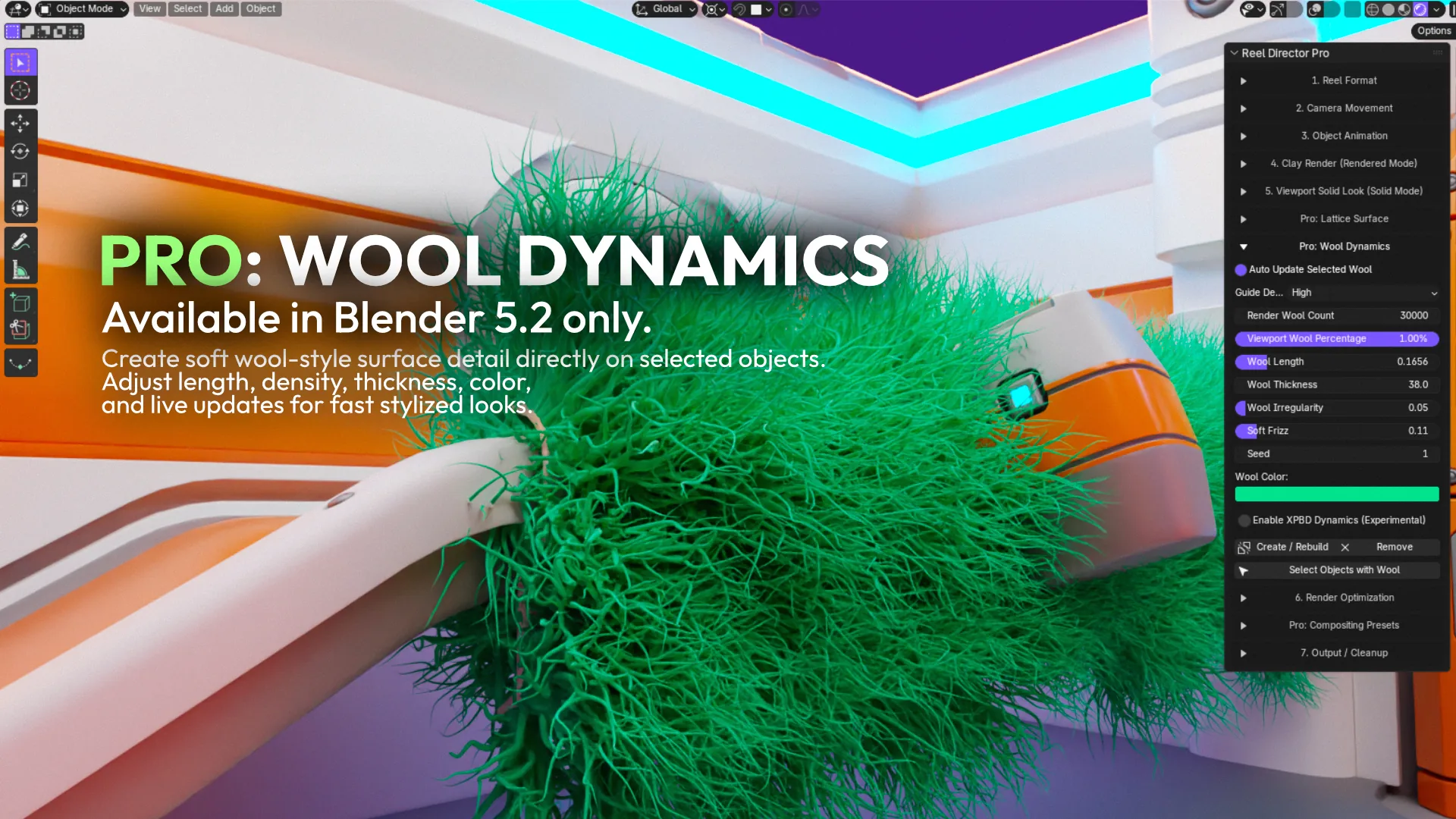
The base Reel Director addon focuses on the complete social-content workflow: reel formats, 32 camera moves, object animation, clay breakdowns, viewport looks, render presets, output tools, and cleanup. Reel Director Pro is planned as the deeper edition, with premium camera moves, per-object clay styling, custom presets, camera filters, and procedural surface tools such as lattice and knit-style treatments.
For most creators, the important distinction is simple: Reel Director helps you publish more content from the scenes you already have, while Reel Director Pro is aimed at artists who want more advanced styling, per-object control, and experimental surface visuals inside the same Blender workflow.
Who Reel Director Is Best For
- Blender artists who want to publish more often from scenes they already built
- Archviz artists creating reels, progress posts, and client-facing breakdowns
- Product or automotive artists who need camera-led social content quickly
- Creators launching addons, assets, or courses and needing stronger promo visuals
- Anyone who wants faster motion tests and cleaner short-form output inside Blender
Where to Get Reel Director
Reel Director is launched on Superhive, the marketplace formerly known as Blender Market. The current listing presents it as a Blender extension compatible with Blender 4.2 to 5.2, using Cycles and Eevee, with 12 months of support and product updates included.
SEO and GEO Summary
If you are searching for a Blender addon for Instagram Reels, a Blender addon for TikTok videos, a Blender camera animation addon, a Blender clay render addon, or a faster way to create YouTube Shorts from 3D scenes, Reel Director fits that category. It is not a replacement for Blender's native animation and rendering tools. It is a focused production layer that makes common creator tasks faster, more repeatable, and easier to package for social platforms.
Short answer: Reel Director is a Blender addon that helps 3D artists turn finished scenes into vertical reels, clay breakdowns, viewport visuals, camera animations, and publishable social content faster.
Why the Addon Feels Useful in Practice
Many addons promise speed, but Reel Director feels aligned with a real publishing workflow. It is not only about rendering faster. It is about reducing the friction between a finished 3D scene and the multiple kinds of content artists now need to stay visible online. That is where the reel formatting, motion presets, clay visuals, viewport looks, and cleanup tools start to work together as a system rather than as isolated features.
Reel Director is valuable because it helps artists build more content from the scenes they already made, without breaking the Blender workflow they already know.
Frequently Asked Questions
What is Reel Director for Blender?
Reel Director is a Blender addon designed to help 3D content creators produce short-form video content, clay breakdowns, viewport visuals, camera animations, and social-ready outputs from existing scenes.
Where can I buy Reel Director?
Reel Director is available on Superhive, formerly Blender Market, through the official Bevel Graphics product listing.
What Blender versions does Reel Director support?
The current Superhive listing describes Reel Director as compatible with Blender 4.2 to 5.2.
Is Reel Director useful for architectural visualization artists?
Yes. Archviz artists can use it to turn villa, apartment, interior, and exterior scenes into reels, process breakdowns, and motion-led presentations without rebuilding the scene from scratch.
Can Reel Director create TikTok and YouTube Shorts content?
Yes. Reel Director is designed for social-ready output, including vertical formats used for Instagram Reels, TikTok videos, and YouTube Shorts.
Does Reel Director replace final rendering?
No. It complements final rendering by making it easier to create additional content around the scene, including previews, motion clips, clay visuals, and social-ready formats.
What is the difference between Reel Director and Reel Director Pro?
Reel Director is the core social-content workflow. Reel Director Pro is the planned advanced edition with deeper styling controls such as premium camera moves, per-object clay tools, custom presets, camera filters, and procedural surface treatments.